

Claude, ChatGPT and other MCP clients
Let AI assistants read and update your subscriptions through Coinio's MCP server.
Coinio has a built-in Model Context Protocol server. An assistant connected to it can answer "what do I pay for AI tools?" or "mark the electricity bill as paid, it was 41.20" from your real data.
The server address is your Coinio address plus /mcp:
https://coinio.example.com/mcpSettings › Integrations shows it with copy buttons, along with ready-made snippets for each client.
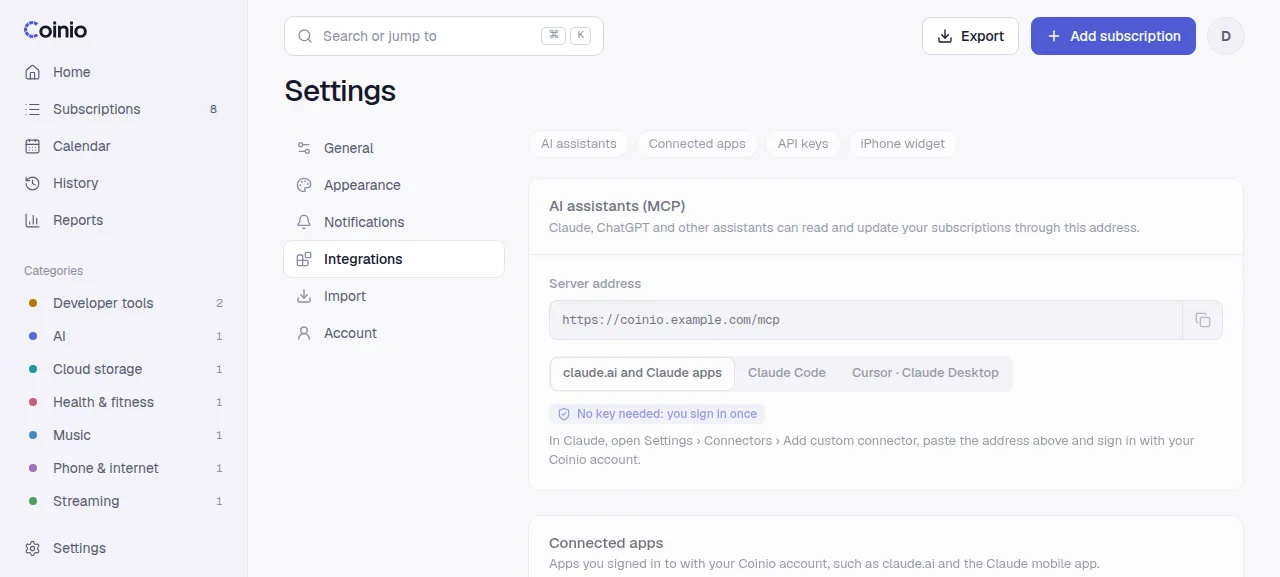
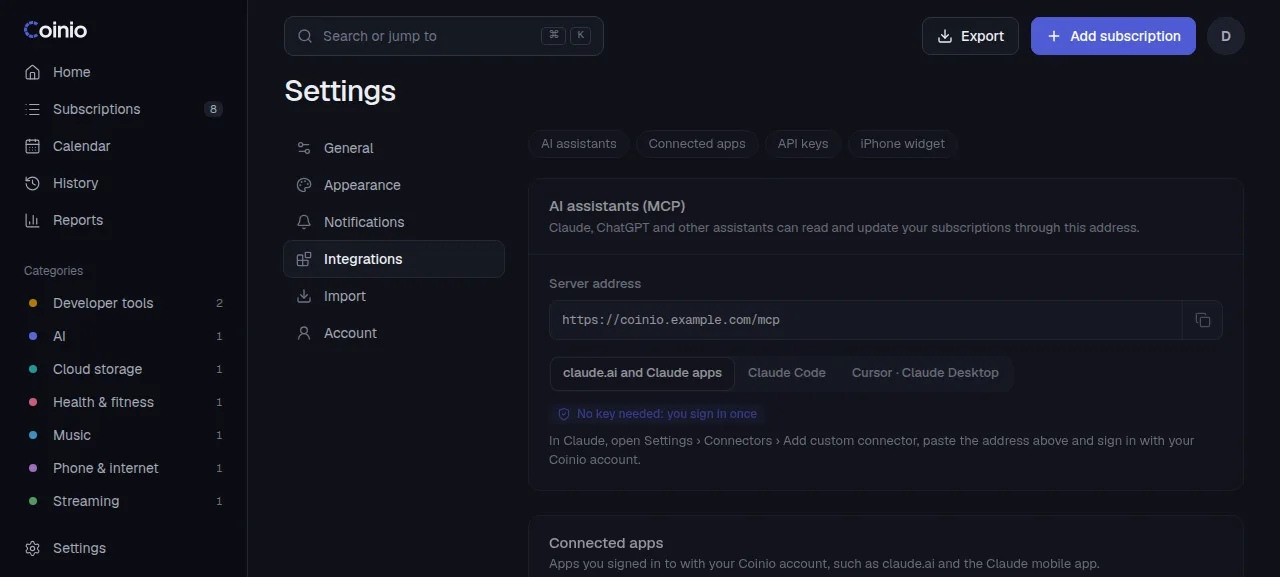
There are two ways to sign in: OAuth for apps that run in the cloud (claude.ai, ChatGPT) and API keys for tools on your own machine.
With OAuth (claude.ai, ChatGPT)
You sign in to Coinio in your browser and approve the app; no key to copy. This needs an https address set as COINIO_PUBLIC_URL. Without it OAuth is off and the log says so at start.
claude.ai
In Claude, open Settings › Connectors and choose Add custom connector.
Name it Coinio and paste your /mcp address. Leave the OAuth client fields empty; Claude registers itself.
Click Connect. A Coinio page opens: sign in, check what Claude asks for, click Allow.
The connector then works in Claude on the web, desktop and mobile.
ChatGPT
ChatGPT adds MCP servers as custom plugins on the web. In ChatGPT, open Plugins, click + and choose Add custom MCP server. Enter a name, paste your /mcp address as the server URL, choose OAuth for authentication and create it. Then sign in and allow access on the Coinio page that opens. Workspace plans may need an admin to allow custom servers.
ChatGPT's menus change often; if these names do not match, look for "custom MCP server" or "connector" in its settings.
What the app can do
The consent page lists the scopes the app asked for:
| Scope | Allows |
|---|---|
subscriptions:read | Read your subscriptions and payments. |
subscriptions:write | Add, change and delete subscriptions and record payments. |
An app that asks for no scope gets both. Access tokens last an hour and are refreshed in the background for up to 90 days of inactivity.
Settings › Integrations › Connected apps lists every app that signed in, with when it was last used. Disconnect revokes its access right away.
With an API key
For Claude Code, Cursor, Claude Desktop and other local clients. This also works without COINIO_PUBLIC_URL, even on a LAN address.
Create a key in Settings › Integrations › API keys. It is shown once; copy it then. Choose the access:
- Read only (
coi_read_...): the four reading tools below. The write tools are not offered at all, and Coinio tells the assistant the connection is read-only, so it can explain why it cannot mark something paid. - Full access (
coi_full_...): every tool.
The form starts on Full access; switch it to Read only for anything that only needs to look.
Claude Code:
claude mcp add --transport http coinio https://coinio.example.com/mcp \
  --header "Authorization: Bearer <your key>"
Cursor, Claude Desktop and other clients that take an mcp.json:
{
  "mcpServers": {
    "coinio": {
      "url": "https://coinio.example.com/mcp",
      "headers": { "Authorization": "Bearer <your key>" }
    }
  }
}
Check that Claude Code connected with claude mcp list (it should say Connected). Without the --header part, Claude Code signs in with OAuth instead (this needs the https COINIO_PUBLIC_URL above) and claude mcp list shows Needs authentication until you sign in from /mcp inside Claude Code.
Revoke a key in Settings › Integrations › API keys; apps using it stop working immediately.
Tools
Amounts are decimal numbers in the subscription's own currency (229.99), dates are YYYY-MM-DD.
Read (any key or token):
| Tool | What it does |
|---|---|
list_subscriptions | Active subscriptions with amount, currency, cycle and next due date. |
get_upcoming_payments | Payments due in the next N days (default 30, at most 60), plus overdue manual payments. |
get_monthly_summary | Left to pay this month, monthly average, yearly total and what was paid this month, in the main currency. |
get_payment_history | Recorded payments, newest first, optionally for one subscription. |
Write (full access key, or OAuth with subscriptions:write):
| Tool | What it does |
|---|---|
add_subscription | Create a subscription. |
update_subscription | Change any fields; active: false pauses it. |
mark_paid | Record a payment (by default for the next due date), optionally with the real amount. |
skip_payment | Skip one period. |
undo_payment | Undo a payment by its id. |
delete_subscription | Delete a subscription and its history. Cannot be undone. |
Read tools are marked read-only and delete_subscription as destructive, so clients that honour these hints ask before changing anything.
Technical details
- Transport: streamable HTTP, stateless. Only
POST /mcpis accepted; other methods return 405. - OAuth 2.1 with PKCE (S256) and dynamic client registration. The metadata is at
/.well-known/oauth-authorization-serverand/.well-known/oauth-protected-resource/mcp; a 401 from/mcppoints to it in theWWW-Authenticateheader.